Showing posts with label PeopleSoft. Show all posts

Thursday, 29 June 2017

PeopleSoft Tables (PeopleTools, HRMS, Benfits, Payroll)

PeopleSoft Tables (PeopleTools, HRMS, Benfits, Payroll)

PeopleTools Tables

Projects
* PSPROJECTDEFN — Project header table
* PSPROJECTITEM — Definitions in the project

Fields
* PSDBFIELD — Fields in the system
* PSXLATITEM — Translate Values

Records
* PSRECDEFN — Record header table
* PSRECFIELD — Fields in the record (subrecords not expanded)
* PSRECFIELDALL — Fields in the record (subrecords expanded)
* PSKEYDEFN — Indexes
* PSTBLSPCCAT — Tablespaces
* PSRECTBLSPC — Records’ tablespace assignments

Pages
(Note: Pages still have the name panels in the PeopleTools table names)
* PSPNLDEFN — Page header table
* PSPNLFIELD — Page controls (field types/FIELDTYPE)
* PSPNLHTMLAREA — Static HTML Areas on Pages

Components

(Note: Components still have the name panel group in the PeopleTools table names)

* PSPNLGRPDEFN — Component header table
* PSPNLGROUP — Pages in the components

Component Interface

* PSBCDEFN — header record; one row for each component interface
* PSBCITEM — one row for each property

Menus

* PSMENUDEFN — Menu header table
* PSMENUITEM — Items (components) on the menu

Security

* PSCLASSDEFN — Permission List header table
* PSAUTHITEM — Menu items granted security by permission lists
* PSROLEDEFN — Role header table
* PSROLECLASS — Permission Lists in roles
* PSOPRDEFN — User ID header table
* PSROLEUSER — Roles granted to users

PeopleSoft Login Details and Authorization

PSACCESSLOG   - Login and logout information of the users
PSACCESSPRFL - Contains the symbolic id,accessid/password details.
PSCLOCK            - Login fails if the table is empty
PSOPRDEFN       - This table holds the peoplesoft Oprid’s/passwords info with symbolic id.

PeopleSoft Audit Tables

PSAUDIT     This table holds all the changes for panel/record modifications


Process Scheduler

* PS_PRCSDEFN — Process Definition Header
* PS_PRCSDEFNGRP — Process Group
* PS_PRCSDEFNPNL — Component
* PS_PRCSJOBDEFN — Job Header
* PSPRCSRQST — Process Request Instances
* PS_PRCSJOBITEM — Job Processes

Portal

* PSPRSMDEFN — Content References and Folders
* PSPRUHTABPGLT — Portal User HP Tab Pagelet

Change Control

* PSCHGCTLHIST — shows history of locked definitions with project name, incident, and description
* PSCHGCTLLOCK — shows definitions that are currently locked

Application Engine

* PSAEAPPLDEFN — header record; 1 row per app engine
* PSAEAPPLSTATE — state records assigned to app engines
* PSAEAPPLTEMPTBL — temp tables assigned to app engines
* PSAESECTDEFN — sections
* PSAESTEPDEFN — steps
* PSAESTEPMSGDEFN
* PSAESTMTDEFN — actions (action types)

List Log Messages

HTML Definitions

* PSCONTDEFN — header record; last update time, etc.
* PSCONTENT — stores actual text in the HTML definition

SQL Definitions

* PSSQLDEFN — header record; last update time, etc.
* PSSQLTEXTDEFN — stores actual text in the SQL definition

File Layout Definitions

* PSFLDDEFN — header record; last update time, etc.
* PSFLDSEGDEFN — stores the segments for each layout
* PSFLDFIELDDEFN — stores the fields for each layout

Workflow
* APPR_RULE_DETL - Approval Rule Defn Details
* APPR_RULE_FIELD - Approval Rule Defn Route Cntl
* APPR_RULE_AMT - Approval Rule Amounts
* RTE_CNTL_LN - Route Control Profile Line
* RTE_CNTL_RUSER - RoleUser Route Cntl Profiles
* RTE_CNTL_TYPE - Route Control Type
* RTE_CNTL_HDR - Routing Control Type

PeopleSoft HR Tables

PS_EMPLOYEES
PS_EMPLOYEES_LNG
PS_EMPLOYMENT
PS_EMPLOYMENT_LNG
PS_EMPLOYMENT_LNG1
PS_EMPLOYMENT_LNG2
PS_EMPLOYMENT_LNG3
PS_HS_EMPLOYMENT
PS_HS_EMPL_REL_CAN
PS_HS_EMPL_REL_LNG
PS_HS_EMPL_SUB_CAN
PS_HS_EMPL_SUB_LNG
PS_INJ_CLMADDR_CAN
PS_JOB
PS_PERSONAL_DATA
PS_PERSONL_DTA_LNG
PS_PERS_DATA_AET
PS_PERS_DATA_EFFDT
PS_PERS_DTAEFF_LNG
PS_PERS_NID
PS_JOB_EARNS_DIST
PS_JOB_APPROVALS
PS_BEN_PROG_PARTIC

PeopleSoft Base Benefits Tables

PS_BAS_PARTIC
PS_BAS_PARTIC_COST
PS_BAS_PARTIC_DPND
PS_BAS_PARTIC_INVT
PS_BAS_PARTIC_OPTN
PS_BAS_PARTIC_PLAN
PS_BENEF_COMMENT
PS_BEN_PROG_PARTIC
PS_DEPENDENT_BENEF
PS_DISABILITY_BEN
PS_FSA_BENEFIT
PS_FSA_PAYMENT
PS_HEALTH_BENEFIT
PS_HEALTH_DEPENDNT
PS_LEAVE_ACCRUAL
PS_LEAVE_PLAN
PS_LIFE_ADD_BEN
PS_LIFE_ADD_BENEFC
PS_PENSION_BENEFC
PS_PENSION_PLAN
PS_RTRMNT_PLAN
PS_SAVINGS_BENEFIC
PS_SAVINGS_INVEST
PS_SAVINGS_PLAN
PS_VACATION_BEN

People Payroll Tables


PS_STATE_TAX_DATA
PS_GENL_DEDUCTION
PS_BAL_ADJ_UI_CAN
PS_CAN_CHECK_YTDPS_CAN_DED_BALANCE
PS_CAN_ERN_BALANCE
PS_CAN_TAX_BALANCE
PS_CAN_TAX_DATA
PS_CHECK_YTDPS_DEDUCTION_BAL
PS_EARNINGS_BAL
PS_FED_TAX_DATA
PS_TAX_BALANCE
PS_LOCAL_TAX_DATAPS_BAL_ADJ_ARR
PS_BAL_ADJ_CHK
PS_BAL_ADJ_CN_CHK
PS_BAL_ADJ_CN_DED
PS_BAL_ADJ_CN_ERN PS_BAL_ADJ_CN_TAX
PS_BAL_ADJ_DED
PS_BAL_ADJ_ERN
PS_BAL_ADJ_GRN
PS_BAL_ADJ_TAXPS_DED_ARREARS
PS_GARN_RULE
PS_GARN_SCHED
PS_GARN_SPEC
PS_GENL_DED_CD

Complete PeopleSoft Tables

PS_EMPLOYEES
PS_EMPLOYEES_LNG
PS_EMPLOYMENT
PS_EMPLOYMENT_LNG
PS_EMPLOYMENT_LNG1
PS_EMPLOYMENT_LNG2
PS_EMPLOYMENT_LNG3
PS_HS_EMPLOYMENT
PS_HS_EMPL_REL_CAN
PS_HS_EMPL_REL_LNG
PS_HS_EMPL_SUB_CAN
PS_HS_EMPL_SUB_LNG
PS_INJ_CLMADDR_CAN
PS_JOB, PS_PERSONAL_DATA
PS_PERSONL_DTA_LNG
PS_PERS_DATA_AET
PS_PERS_DATA_EFFDT
PS_PERS_DTAEFF_LNG
PS_PERS_NID
PS_JOB_EARNS_DIST
PS_JOB_APPROVALS
PS_STATE_TAX_DATA
PS_GENL_DEDUCTION
PS_BAL_ADJ_UI_CAN
PS_CAN_CHECK_YTD
PS_CAN_DED_BALANCE
PS_CAN_ERN_BALANCE
PS_CAN_TAX_BALANCE
PS_CAN_TAX_DATA
PS_CHECK_YTD
PS_DEDUCTION_BAL
PS_EARNINGS_BAL
PS_FED_TAX_DATA
PS_TAX_BALANCE
PS_LOCAL_TAX_DATA
PS_BAL_ADJ_ARR
PS_BAL_ADJ_CHK
PS_BAL_ADJ_CN_CHK
PS_BAL_ADJ_CN_DED
PS_BAL_ADJ_CN_ERN
PS_BAL_ADJ_CN_TAX
PS_BAL_ADJ_DED
PS_BAL_ADJ_ERN
PS_BAL_ADJ_GRN
PS_BAL_ADJ_TAX
PS_DED_ARREARS
PS_GARN_RULE
PS_GARN_SCHED
PS_GARN_SPEC
PS_GENL_DED_CD
PS_BAS_PARTIC
PS_BAS_PARTIC_COST
PS_BAS_PARTIC_DPND
PS_BAS_PARTIC_INVT
PS_BAS_PARTIC_OPTN
PS_BAS_PARTIC_PLAN
PS_BENEF_COMMENT
PS_BEN_PROG_PARTIC
PS_DEPENDENT_BENEF
PS_DISABILITY_BEN
PS_FSA_BENEFIT
PS_FSA_PAYMENT
PS_HEALTH_BENEFIT
PS_HEALTH_DEPENDNT
PS_LEAVE_ACCRUAL
PS_LEAVE_PLAN
PS_LIFE_ADD_BEN
PS_LIFE_ADD_BENEFC
PS_PENSION_BENEFC
PS_PENSION_PLAN
PS_RTRMNT_PLAN
PS_SAVINGS_BENEFIC
PS_SAVINGS_INVEST
PS_SAVINGS_PLAN
PS_VACATION_BEN

Wednesday, 15 February 2017

PeopleSoft Process Scheduler

PROCESS SCHEDULER
==================

It is used to run reports and batch processes on demand or schedule.

The common purpose of process scheduler is to generate report and post it to the web server.

There are two type of Process Scheduler

PSUNIX= Generally installed on database server.
PSNT= Generally Installed on Windows file server.

Services of process scheduler:
1. BBL (bulletin board liaisons): It is main tuxedo engine which directs all the communication traffic.
2. PSPRCSRV:
 a) It picks the data from PSPRCSRQST table and run the background processes and reports.
 b) Shows the status of the request whether running or not

3. PSAESRV: Process Application Engine requests. This server must be configured to run if any application engine requests are to be processed by this Process Scheduler Domain.
4. PSAEOSRV: This processes the majority of the program logic.
5. PSOPTENG: Processes the core task in an Optimization Engine program.
6. PSDAEMON: A new daemon process that can be set up to run continuously when the Process Scheduler is running, and is intended for recurrent Application Engine jobs

7. PSDSTSRV:
 a) It is the distribution agent.
 b) It is responsible for transfer complete Peoplesoft reports,logs and error file from process scheduler to report repository on the web server based on report nodes.


-Report Repository: is a folder on web server where all the reports are get save.
-Report Nodes: are the configuration which decide which protocol will be use to transfer the reports to the report repository. It also contains the path of the report repository.
-Path of Logs in batch server:
    $PS_HOME/appserv/prcs/instance name/logs_output

PeopleSoft Mandatory Services of Application Server

PEOPELSOFT SERVICES OF APPLICATION SERVER
========================================

1. Tuxedo services (Transaction Based UniX Extended Distributed Object)
2. Application services

NOTE: Peoplesoft uses Tuxedo as its application server.
NOTE: Tuxedo services are by default. Application services are on demand.


Tuxedo Services:
============

1) BBL(Bullitin Board Liosion):
 a)  Main tuxedo engine
 b)  Unless the BBL is loaded nothing on the application server will work.
 c)  It directs all the communication traffic.
 d)  It sends data to the appropriate program for processing.
 e)  It works like a manager.


2) JSL(JOLT status listner):
 a)  It monitors the  connection send from PIA client.
 b)  Once the connection is established it handover the client to the JSH for ongoing communication


3) JSH(JOLT status handler):
 a)  It will maintain the persistent connection to the PIA client until the request is fulfill.


4) WSL(work station listner):       
 a)  It monitors the connection send from Windows client.
 b)  once the connection is established it handover the client to the WSH for ongoing communication.


5) WSH(work station handler):
 a)  It will maintain the persistent connection to the windows client until the request is fulfill.


Application Mandatory Services:
======================

1) PSAPPSRV:
 a)  Build and save HTML pages.
 b)  Run people codes
 c)  Handles sql requests.
 d)  Perform initial authentication


2) PSSAMSRV:
 a) It is mainly used for application designer development tools. When we are connected through 3 tier.


3) PSQRYSRV: Handles the entire sql request generated by PS Query Manager. This is an optional process designed to improve performance by reducing the workload of PSAPPSRV.


4) PSQCKSRV:
 a) This process performs quick, read-only SQL requests.
 b) It is only used to accept the select statement when the load on PSAPPSRV is more.
 c) This is an optional process designed to improve performance by reducing the workload of PSAPPSRV.


PeopleSoft Internet Architecture

Two tier Architecture
=====================
A PeopleSoft client connected to the PeopleSoft Database server is simple two tier architecture. The Client is a fat client. as-in it has all the PeopleTools executables installed on it. There could be another scenario that there is an additional component called the file server. This file server can hold all the PS executables and the Client just maps to the PeopleSoft folder carrying the executables. In either case this is a PeopleSoft 2 tier Architecture. In this architecture Data storage and processing take place on the server and the business rules and presentation of the data are managed by the individual client workstations

Three tier Architecture
=======================
The 3 tier PeopleSoft architecture consists of the Client, the Application server and the Database server. The application server handles most of the business rules and data processing, database server manages the data and the client handles the presentation of data. This was actually the PeopleSoft architecture in ver 7 and 7.5. There is usually a File server also which holds all the PeopleSoft executables and the Clients map to the File server to run the executables. In case of implementation over a Wide area network, the Application server is kept near the Database server and the clients connect to the application server over the WAN. It gives better performance than a 2 tier architecture since the heavy part of the transaction happens between the AS and the DS on the local LAN and only the resulting output is sent back to the client.

nTier Architecure or PeopleSoft Internet Architecture
=====================================================
nTier architecture or PIA is PeopleSoft’s Internet architecture designed for version 8. It consists of four tiers with six different components-Internet access device, web server, application server, and database server. In addition it also has a File Server and a Batch Server that runs scheduled processes against the database.


Protocols between different tiers:
Web Client and WebServer     - HTTP/HTTPS                         over port 80/433
WebServer and Apps Server    - Jolt                          over JSL port 9000
Apps/Batch Server and DB Server    - SQL over TCP/IP, Oracle Listener Process         port 1521
3-T Client and Apps Server     - Tuxedo messages over TCP/IP, WSL Workstation listener proces7000

PIA Client connects with Web Server through HTTP or HTTPs ports. This port is define in the Web Server in a file called config.xml. The connectivity between Web Server and Application Server is done through JOLT port. This JSL port is defined in two places one is at Web Sever side in a file called configuration.properties & 2nd at application server side in a file called PSAPPSRV.cfg. The connectivity between Application Server & Database Server is done through sql.net and the file used for this connectivity is tnsnames.ora at client side i.e. Application Server and listner.ora at server side i.e. Database Server


PIA is the combination of 3 servers
====================================
1) Web Server

The role of web server is to support browser requests and present the Peoplesoft content over the web. It has 3 components. Web services such as Websphere/Web logic server, Servlet engine such as JServ, and PeopleSoft Java servlets such as page servlet, Report repository servlet or portal servlet etc. The main servlet is the page servlet. This job of the page servlet is to communicate the browser requests to the Apps server via Jolt. Also when the App server returns pure HTML the page servlet formats it and presents it in the browser. (Portal handles all of the requests and formatting for portal users
Gateway Servlet transmits the received messages between message nodes
Report rep helps the user to retrieve the output of his process and serves on the browser)


2) Application Server

The application server is the core of the PeopleSoft Internet Architecture. It executes business logic and issues SQL to the database server. It is made up of 3 components. Jolt, Tuxedo and PeopleSoft server processes. TUXEDO is the orchestrator that manages the database side transactions through the server processes and webserver side requests via Jolt.


3) Database Server


Complete Working of PeopleSoft Internet Architecture:
=====================================

- User enters a URL for PeopleSoft (or performs some action such as invoking a panel through his PS interface by clicking on a menu link).
- This Link is interpreted as a URL by the web Browser URL points to the PS Webserver and includes the name of the Page Servlet on the Web Server. Browser passes this request to the servlet. (Other servlets are report servelet, portal servlet, gateway servlet)
- Servlet interprets the request and comes up with the list of Objects required to build the page.
- Requests for all objects are sent to apps server in the form of a Jolt message. Jolt is acting as the communications layer between the Page Servlet and Tuxedo.
- Tuxedo then receives the Jolt message and converts it in to a service request and routes to the appropriate PeopleSoft server process (e.g. PSAPPSERV for page build).
- PeopleSoft process converts service requests in to SQL statements which will fetch the objects from the database
- SQL Statements are fired against the Database.
- Data requested is supplied by the database.
- PeopleSoft process (PSAPPSERV) constructs HTML page out of object data.
- Tuxedo takes this HTML page and routes it back to the requesting Java Servlet.
- When all objects are in place, HTML page is forwarded to the Web services.
- Browser views page.


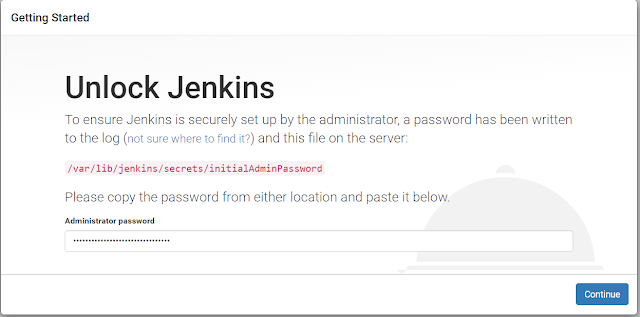
Jenkins Startup and Configuration

Steps to setup jenkins on ubuntu:- -After installation. check the jenkins services running on not on the server. sudo service jenk...